The other day, there was a question posted on the #ssrshelp hash tag on Twitter. The question was whether SSRS would allow you to show data labels for a chart, but ONLY on the last item in a series. For example, if you have months ranging from January to December, can you show the data label only on December’s value?
You can indeed. Here is how you do it.
Let’s start with a basic data set query (the source does not matter since were are hardcoding everything here.
SELECT     '2011-01-01' AS ValDate, 1 AS Val
UNION ALL
SELECT     '2011-02-01' AS ValDate, 2 AS Val
UNION ALL
SELECT     '2011-03-01' AS ValDate, 1.5 AS Val
We’ll call it Dateset1. It returns the following:
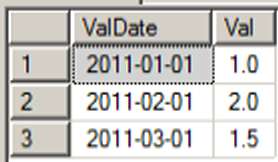
Let’s see a chart based on this data with the data labels turned on.
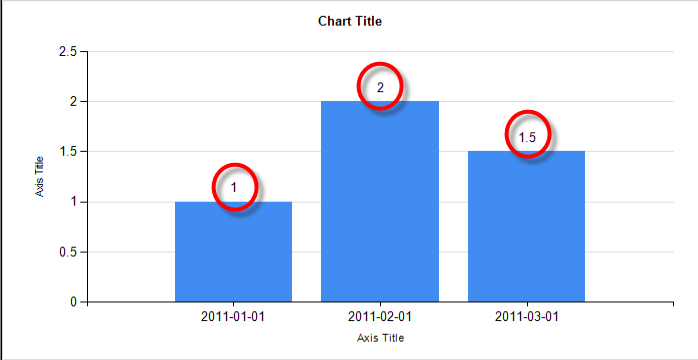
This is basic stuff. Now, let’s add the necessary items to hide all of the data labels except the one for 2011-03-01.
First, we’ll add a new Report Variable. Click on Report and choose Report Properties.
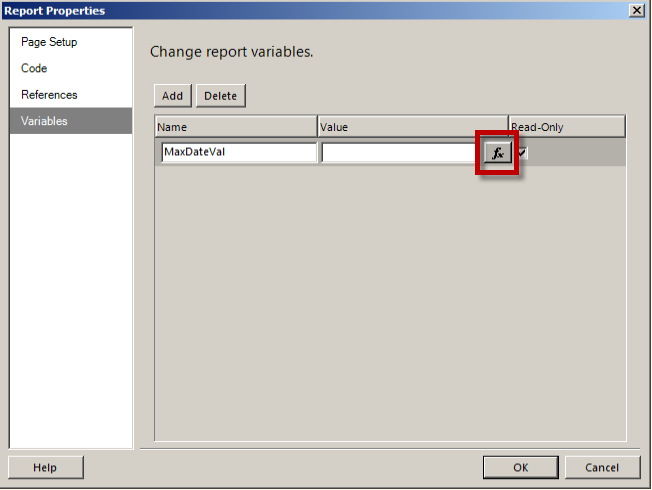
We create a new variable called MaxDateVal. We then click on the Expression button, shown in the rectangle above.
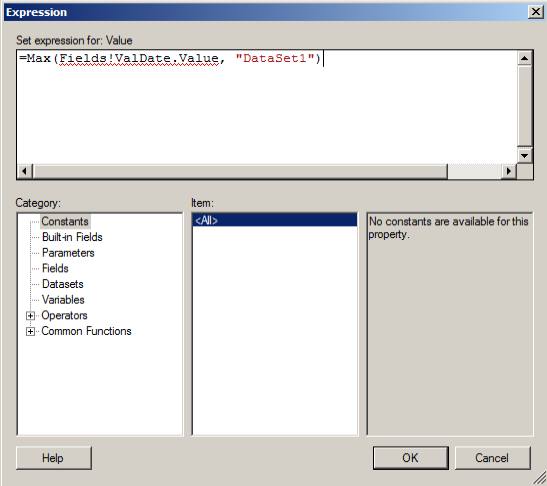
Don’t worry about the red underline here. Click OK when you’re done.
Now we head over to the Visible property of the Chart Series data labels, shown below in the rectangle near the bottom.
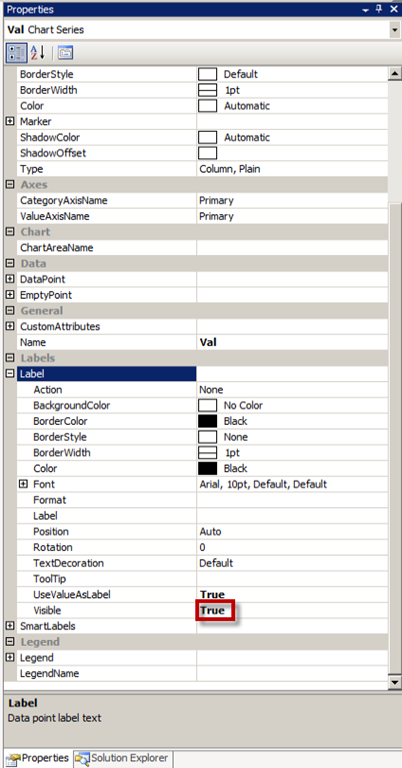
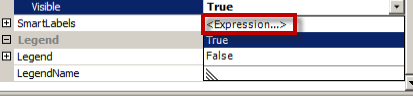
Click on the property value and choose Expression.
Enter the following expression.
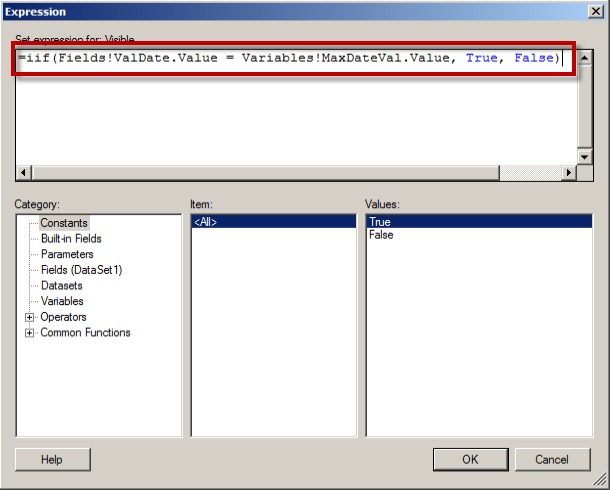
Click OK and then run the report.
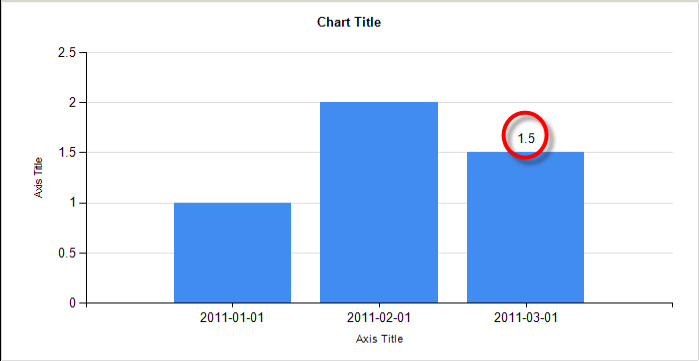
Notice only the MAX date value, 2011-03-01, has a data label now.
Have fun.
 Mark Vaillancourt